
QR & Barcode Scanner
TeaCappsProductivity
4.610.70K Reviews
- Version
- 3.3.6-L
- Installs
- 100.00M
- Age Rating
- Everyone
Screenshots
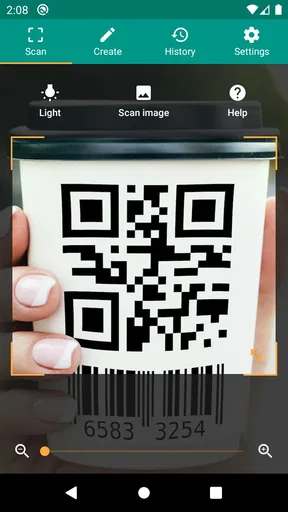
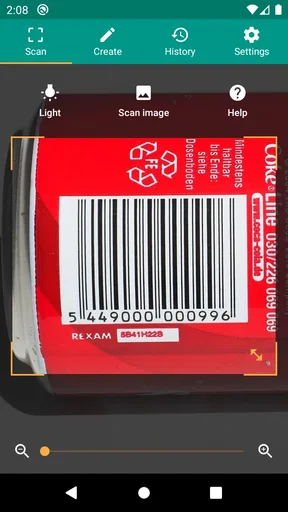
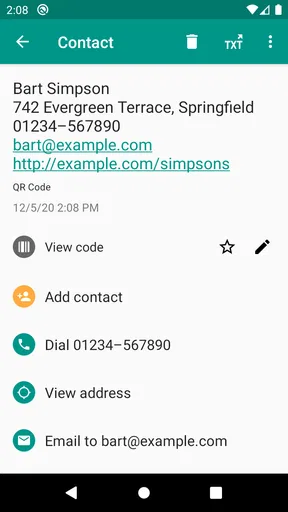
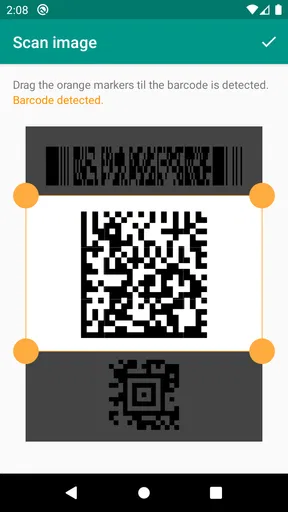
Our Review of QR & Barcode Scanner
 Analysis by Appyee
I reach for a dedicated scanner when I want to deal with a code directly instead of hunting through menus, and QR & Barcode Scanner is built around that simple job. It’s a free productivity app from TeaCapps, rated for Everyone, with a 4.6 average from around 3.6 million ratings and over 100 million installs. Those figures suggest it has become a familiar choice, but what matters day to day is whether it makes scanning and following up on a code straightforward.
A focused tool for everyday code scanning
The current version is 3.3.6-L, and the app’s appeal is its direct approach: open it, point the camera at a code, and use the result. It also supports creating QR codes and keeping a history of scans, so it can be useful beyond a single quick lookup. I see it as a small utility rather than an all-purpose organizer: it helps with codes, but it won’t replace a shopping list, contact manager, or password manager.
That focus is helpful if you scan codes only now and then. You don’t need to learn a complicated workflow before using the main function, and you can return to a previous result through the scan history. The trade-off is that a dedicated scanner is another app to open when many phones already offer some QR scanning through the built-in camera. If your camera handles the codes you encounter reliably, its built-in option may be enough.
What the current version tells me—and what it doesn’t
The app first appeared on June 17, 2016, and its version history now reaches 3.3.6-L. That shows a product with a long life, but I wouldn’t treat a version number alone as proof of a particular redesign or new capability. I prefer to judge what’s useful by the tools I can actually use: scanning, creating codes, and revisiting scan history.
For someone already using it, that combination makes the app practical for repeat tasks without requiring a different app for every kind of code interaction. Its small-storage footprint is also a sensible fit for a utility that I may open briefly and leave closed most of the time. The app supports Android 6.0 and later, which gives it a broad range of compatible Android devices; on iOS, the most important check is whether the current App Store version supports your device.
There are still sensible reasons to compare options. If you only scan the occasional menu or parcel label, your phone’s camera may be quicker because it is already on the home screen. If you scan codes as part of a workplace system, you may need a specialized app that connects to your inventory or business software. I would not choose this scanner on the assumption that it offers those integrations.
Useful habits for scans you may need again
One practical advantage of the history is that scanning doesn’t have to be a one-and-done action. If I scan a product code while comparing items, I can return to the recorded result instead of trying to find the same packaging later. For useful links, I would still open the result deliberately and check that it is the destination I expected; a code is just a way to present information, not a guarantee that the information is trustworthy.
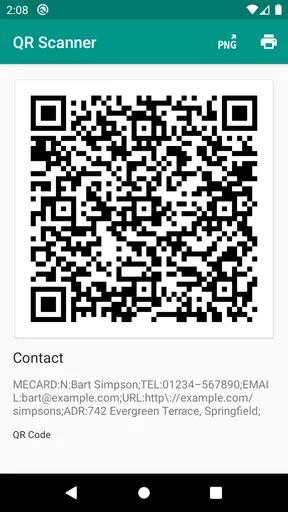
Creating a QR code can also save a little back-and-forth when sharing details. A Wi-Fi code, for example, can let a visitor connect without typing a long password, while a contact code can make it easier to pass along information in person. I’d use that convenience selectively: a code is easy to share, so I would avoid putting sensitive details into one unless I’m comfortable with anyone who can scan it seeing them.
For a dimly lit label, the flashlight option can help illuminate the code, while the ability to switch cameras gives you another way to frame a scan. Those controls are most useful when the usual point-and-scan approach is awkward, such as when a code is high up, poorly lit, or easier to show on the screen facing you. They don’t remove the basic need for a clear view of the code, so adjusting your angle or moving closer can still be the quickest fix.
Getting Started with QR and Barcode Scanning
First things first, downloading the QR & Barcode Scanner app was a breeze. A quick search in the Play Store or App Store and there it was. The installation was zippy, just the way I like it. Once installed, the app's interface greets you with a simple, no-nonsense design. Honestly, simplicity is underrated, and this app nails it.
Interface and Usability
When you open the app, you're immediately presented with the scanner screen. No fuss, no muss. Just point and scan. It's like the app is saying, "I know what you're here for, let's get to it." The camera automatically focuses on the code, and before you know it, boom, you've got your information. Whether it's a URL, contact information, or product details, the app handles it all seamlessly.
One neat feature I found was the ability to switch between the front and rear camera. Not something you'll use every day, but it's there if you need it. And let's not forget the flashlight option for those low-light situations. The developers really thought of everything!
Features That Make Life Easier
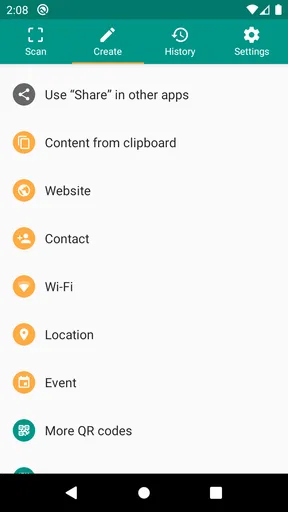
So, what else can you do with this app? More than just scanning, my friend. You can create your own QR codes. Imagine the possibilities! Share your contact info, Wi-Fi passwords, or event details with a simple scan. It's super handy and adds a layer of functionality that I didn't even know I needed until I tried it.
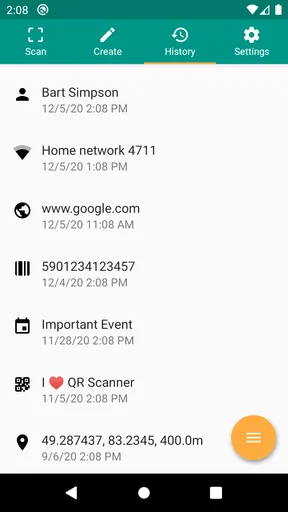
Another cool feature is history tracking. Every code you scan is saved in a neat little list. So, if you ever need to go back and find that link or contact, the app's got you covered. It's like having a little digital assistant keeping track of your digital footprints.
Performance and Reliability
In terms of performance, the QR & Barcode Scanner app is top-notch. It's fast, accurate, and doesn't lag. The scanning process happens in a blink, and the app never crashed on me, not even once. Whether you're scanning a tiny code on a product or a large one on a billboard, it handles them all with aplomb.
One thing I appreciated was the app's lightweight nature. It doesn't hog your phone's resources, meaning your battery life remains intact. Plus, it doesn't bombard you with ads, which is a huge win in my book. Who wants to deal with pop-ups when you're just trying to scan a code?
Privacy and Security
Now, on to privacy – a big deal for many of us these days. The app doesn't require unnecessary permissions, which is a relief. It only asks for access to your camera, which makes sense, right? Plus, there's no need to worry about your data being stored or shared. The app respects your privacy, which is something I always look for in any app.
Limits worth keeping in mind
Some of the original praise here is my personal impression, not a promise that every device will behave identically. Focus speed and readability depend on the camera, lighting, print quality, and how the code is presented. A scratched label, glare on a glossy package, or a tiny code on a distant sign can slow down any scanner. If a scan fails, I’d first steady the phone, reduce glare, and fill more of the camera view with the code before assuming the app is at fault.
History is useful, but it can become less useful if you treat it as a permanent filing system. I’d revisit results while they are still relevant and avoid relying on a long scan list as the only record of an important link or product. For something I need to keep, I’d save the destination through the phone’s normal tools as well. That small habit makes the scanner’s convenience less dependent on finding an old entry later.
There is also a distinction between reading a code and deciding what to do with it. A barcode may identify a product, but that does not automatically give you the comparison, provenance, or detailed catalog information you might want. Likewise, a QR code can lead to a page that asks for personal information. I treat the scan as a starting point and make the same judgement I would when opening any unfamiliar link.
Where it fits better than alternatives
Compared with the built-in camera, a separate scanner makes most sense when you want a dedicated place to scan, create codes, and revisit results. The camera app is the simpler choice for an occasional QR code because there is nothing extra to install or open. A browser-based scanner can be convenient on a device where installing apps is undesirable, but it may involve extra steps and depends on the browser workflow. For a person who regularly scans both QR codes and barcodes and values a scan history, this app’s concentrated toolkit is the more appealing middle ground.
It is less compelling for someone who wants every scan automatically organized into a broader system. A retailer, warehouse worker, or researcher may need batch handling, product databases, export options, or company-specific integrations; I would look for a specialist tool built around that job instead. Similarly, if you rarely scan anything and your phone camera already recognizes the codes you encounter, the extra app may not earn space on your device.
Price is straightforward to consider: the app is free to download, with in-app purchases listed at $6.99 per item. I’d start with the free experience and decide whether I need anything beyond it before spending. The app’s light footprint makes that trial less of a commitment, though the right choice still depends on whether its scanning and history workflow fits your habits.
A realistic day with the scanner
Imagine I’m shopping and want to compare a packaged item with another option. I scan its barcode, keep the result in history, and return to it later rather than taking a photo of the label. At a café, I might scan a menu QR code, check the destination before proceeding, and close it if the page looks unexpected. When friends visit, I could create a Wi-Fi QR code so they can connect without asking me to spell out the password. These are small conveniences, but they show why scanning, code creation, and a retrievable list work well together.
My practical tip is to use the app intentionally rather than scanning every code you see. Scan when you have a reason to keep or act on the result, and take a moment to inspect unfamiliar destinations. For repeat use, clear framing and good light matter more than elaborate technique; the flashlight is a useful assist, not a substitute for positioning the code properly. This approach keeps the history meaningful and reduces the chance of tapping through a link on autopilot.
Who I’d recommend it to
I’d recommend it to people who scan codes often enough to want a dedicated tool, especially anyone who appreciates making their own QR codes and returning to earlier scans. It can also suit someone whose built-in camera is inconsistent or whose preferred workflow is to open one scanner for different code types. The Everyone content rating makes it appropriate for a broad audience, though that does not mean every link reached through a code is automatically suitable or safe.
I’d skip it if my phone camera already handles occasional QR scans and I have no use for history or code creation. I’d also choose a specialist business scanner if my work depends on structured product records or integration with other systems. The best reason to install this app is not that every phone needs another scanner; it is that its particular mix of direct scanning, saved results, and QR creation solves a recurring task for you.
Final Thoughts
All in all, the QR & Barcode Scanner app is a solid choice for anyone looking to make scanning QR codes and barcodes a hassle-free experience. It's user-friendly, feature-packed, and performs like a champ. Whether you're a tech-savvy pro or someone just dipping their toes into the world of QR codes, this app meets you where you are.
If you're in the market for a reliable and efficient QR code scanner, give this app a whirl. It's one of those tools that's great to have in your digital toolbox. So, why wait? Scan, explore, and enjoy!
What I’d watch over time
For an app that has been around since 2016 and is now at version 3.3.6-L, I’d judge future changes by whether they improve a real part of the routine: getting a clean scan, understanding the result, or finding something in history. I wouldn’t assume a version label means a specific feature has arrived. Existing users can keep relying on the tasks they already use, while checking the app after updates to see whether its controls and workflow still suit them.
TeaCapps is the developer behind this utility, and its large audience gives a new user plenty of reason to consider it, though popularity alone cannot guarantee a perfect fit for every phone or scanning situation. My overall view is that it earns its place when code scanning is a recurring need rather than a rare curiosity. Start with the free app, try the scan and history routine on the kinds of codes you actually encounter, and keep it only if that dedicated workflow is more convenient than your camera.
Privacy and Permissions
See what permissions an app requests and how it handles your data.
- Contacts
- read your contacts
- Location
- approximate location (network-based), precise location (GPS and network-based)
- Photos/Media/Files
- read the contents of your USB storage, modify or delete the contents of your USB storage
- Storage
- read the contents of your USB storage, modify or delete the contents of your USB storage
- Camera
- take pictures and videos
- Wi-Fi connection information
- view Wi-Fi connections
- Other
- view network connections, connect and disconnect from Wi-Fi, full network access, control vibration, prevent device from sleeping, Google Play license check
Verdict
Strengths of QR & Barcode Scanner
- Fast and accurate scanning capabilities.
- Supports multiple barcode formats.
- User-friendly interface with clean design.
- Works offline without internet connection.
- Small app size with low battery usage.
Limitations of QR & Barcode Scanner
- Contains ads that may disrupt use.
- Limited customization options available.
- No support for batch scanning.
- Requires camera permission to function.
- Lacks advanced data management features.
Similar Picks in This Category
View All
Google Calendar
Google LLC4.6

Google Drive
Google LLC4.3

Google Assistant
Google LLC3.9

Microsoft OneDrive
Microsoft Corporation4.6

Samsung Calendar
Samsung Electronics Co., Ltd.4.1

Microsoft OneNote: Save Notes
Microsoft Corporation4.6
Frequently Asked Questions
What features does the QR & Barcode Scanner offer?
The QR & Barcode Scanner app provides a fast and efficient way to scan both QR codes and barcodes. It supports all major code formats and allows you to access web links, text, contact information, and more. Additionally, it offers features like saving scan history, sharing scanned data, and even creating your own QR codes.
Is the QR & Barcode Scanner app free to use?
Yes, the QR & Barcode Scanner app is free to download and use. However, it may offer in-app purchases or ads to access premium features or an ad-free experience. Users should check the app's store page for specific details about costs or additional features that might require payment.
How user-friendly is the QR & Barcode Scanner interface?
The app is designed with a clean and intuitive interface, making it extremely user-friendly. Even first-time users will find it easy to navigate. The scanner opens instantly to capture codes quickly, and the app provides clear instructions and options for accessing or sharing scanned information.
Is internet access required to use the QR & Barcode Scanner?
While scanning QR codes and barcodes does not require internet access, certain features such as accessing web links or downloading associated content will need a connection. The app allows offline scanning, but for a complete experience, a stable internet connection is recommended.
Does the app support data privacy and security?
The QR & Barcode Scanner app takes user privacy seriously. It only accesses necessary permissions and does not store personal information without consent. Users can review and manage permissions within the app settings, ensuring that their data remains secure and private.
